How to Get Your First 10 App Store Reviews (2026)
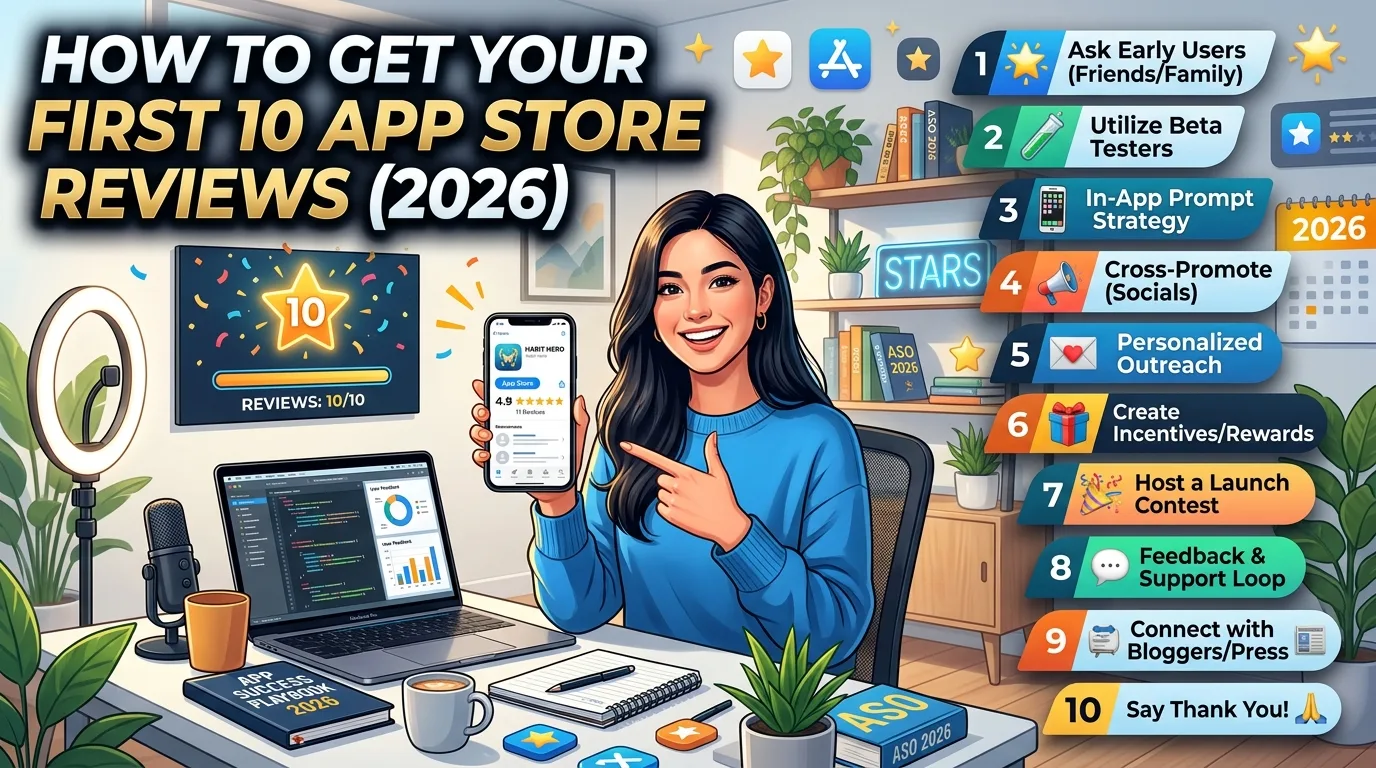
The first 10 reviews on your App Store listing matter more than the next 1,000. They're what new visitors actually read before tapping install, they anchor your star average for months, and they're the hardest reviews to get because you have the fewest users. Most indie apps stall right here: launched, indexed, technically live — but sitting on zero or two reviews because nobody knows how to ethically nudge the first wave. This is the operator-level playbook for getting your first 10 App Store reviews in 2026 — what works, what gets you delisted, and the exact prompts and timing that produce reviews without burning users or violating Apple's rules.
Why the first 10 reviews disproportionately matter
App Store conversion data is consistent on this: visitors who see a 4-star app with 10+ reviews convert at dramatically higher rates than the same app with 0–2 reviews, even at the same star rating. A "4.8 stars (2 ratings)" badge reads as untested and risky. A "4.8 stars (47 ratings)" badge reads as established and safe. The gap between those two perceptions is measured in installs per day, every day, for the life of your listing.
The math gets worse the longer you sit on a low review count. Google Play doesn't even show your average rating publicly until you cross roughly 500 ratings — which means without an active strategy, you can spend months invisible to that signal entirely. Apple shows your rating immediately, but a low count keeps it volatile: one negative review on 3 total can drop you from 5.0 to 3.7 overnight.
The non-negotiable: use SKStoreReviewController
Apple's App Store Review Guidelines (section 1.1.7) require you to use the native SKStoreReviewController API for in-app review prompts. Custom rating popups — your own "How do you like our app? ⭐⭐⭐⭐⭐" UI — are explicitly disallowed and a known rejection reason. The native prompt looks identical across every app, so users recognize it instantly and the friction is low: they rate without leaving your app, and they can write a review in the same dialog.
The rules that apply in 2026:
- Maximum 3 prompts per user, per 365 days. The system enforces this; calling the API a fourth time silently does nothing.
- Users can disable all prompts in Settings. If they do, your call shows nothing.
- No callbacks. You don't know if the prompt appeared, whether the user rated, or what they rated. You have to commit to the moment and hope.
- TestFlight builds don't show the prompt at all. You can only test the flow in development builds, and the actual rating submission only works in production builds.
Don't fight these rules. Apps that try to work around the API — building custom prompts, lock features behind a 5-star rating, asking only happy users to rate — get rejected, delisted, or have their accounts terminated. The cost of cheating is the entire app, not just the prompt.
Timing is the biggest lever
You only get three shots per user per year. The single highest-impact decision is when to fire them. The pattern that works, across every category of app:
- Trigger after a success event, not on app launch. Finished a task, completed a level, exported a file, hit a milestone, made a purchase — these are moments of demonstrated value. Asking before the user has experienced value yields negative reviews and burned prompts.
- Wait until the second or third success event, not the first. A user who's completed one task might still be evaluating; a user who's completed three is committed. Track a counter in UserDefaults and gate the prompt behind it.
- Don't prompt during a time-sensitive task. Mid-game, mid-checkout, mid-edit — wrong moment. Wait until the task ends and the user is in a "look at what I did" state.
- Avoid the first 24 hours of use. Users in their first day are still forming an opinion. Asking them to commit to a rating prematurely is asking for 3-star reviews from people who would've been 5-star a week later.
A reasonable rule of thumb: track three positive signals (each success event = +1), wait at least 3 days since first launch, then call SKStoreReviewController. Reset the counter after a successful prompt attempt.
The pre-prompt that's worth doing
One technique that's legal, ethical, and dramatically increases positive review rates: a custom pre-prompt before the system prompt. Show your own dialog asking "Enjoying [App]? We'd love your feedback" with two buttons: "Yes, leave a review" and "Not now / Send feedback." If they tap "Yes," then call SKStoreReviewController. If they tap "Send feedback," route them to a support email or in-app feedback form.
This funnel matters because users who would leave a 1-star review get diverted to a private feedback channel — where you can actually fix their issue and recover the relationship — while users who would leave 5-star reviews go straight to the App Store. The result is a self-selecting review pool that skews positive without violating any rule: you're not blocking unhappy users from reviewing (they can still rate the app at any time directly in the App Store), you're just offering them a more useful alternative path.
One important caveat: the pre-prompt must be honest. You can't say "We need 5 stars to keep building features" or condition app functionality on a positive review — both are explicit Apple violations. The pre-prompt asks if they want to review; it doesn't filter the review they'd give.
How to get your first 10 reviews specifically
The general framework above gets you reviews at scale, but the first 10 require a different approach because you don't yet have enough users to rely on the funnel alone. Tactics that work:
- Beta testers are your warmest leads. If you ran a TestFlight beta, the 30–100 people who tried your app pre-launch are the most likely to leave a launch-day review. Send a personal email when you go live: "We launched! If you have 30 seconds, a review really helps." Don't ask for 5 stars — ask for an honest review.
- Personal network, but only people who'd use it. Friends and family who'd genuinely use your app can review it. Friends and family who download it just to support you are an Apple violation if you direct them; they'll also produce vague, generic reviews that don't actually help. Ask the people who would've installed it anyway.
- Indie dev communities. If you posted to r/SideProject, r/iOSApps, IndieHackers, or Product Hunt, the commenters who tried your app and liked it are receptive to "if you have a second, a review on the App Store would mean a lot." Don't beg, don't promise anything, don't gate it behind a follow-up DM.
- Early users with engaged behavior. Look at your analytics for users with high session counts or repeat usage. They've already shown they like the app. Trigger the in-app prompt aggressively for this cohort.
- Don't pay for reviews. Ever. Paid review services produce reviews that Apple's fraud detection routinely catches, and the consequence is delisting your app. The reviews also read as fake, hurting more than they help.
If you can get 5 reviews from beta testers in week one and another 5 from in-app prompts in weeks 2–4, you've crossed the 10-review threshold within a month of launch — which is the realistic indie-dev pace.
Responding to reviews compounds the effect
The single most underused growth tactic on the App Store is replying to reviews. Apple lets you write up to 5,970 characters per response (Google Play caps you at 350). Public responses signal to every future visitor that you read what users say and you care. Beyond the signal, the mechanics are real:
- Apps that respond to reviews see an average rating increase of 0.7 stars on Google Play. The Apple effect is smaller but directionally similar.
- Roughly 70% of users who receive a developer response revise their original review. A 2-star "missing feature X" review becomes 4 stars when you reply "Shipped in 1.2.0 — thanks for the nudge."
- Negative reviews replied to constructively often turn into positive ones. Users who feel heard upgrade their ratings; users who feel ignored never come back.
Practical rule: respond to every negative review within 48 hours, and respond to interesting positive ones too. The 5-minute investment per response compounds across the entire history of your listing.
What gets you delisted
Apple's enforcement around review manipulation tightened significantly in the last few years, and the penalties are severe — full app removal, sometimes account-level. The lines you cannot cross:
- Paying for reviews. Direct payment, gift cards, in-app currency, anything of value in exchange for a rating — delist offense.
- Gating app features behind a positive review. "Leave 5 stars to unlock pro mode" — explicit rejection trigger.
- Custom rating UIs. Building your own 5-star prompt instead of using SKStoreReviewController — App Store Review Guidelines 1.1.7 violation.
- Asking only happy users to rate while routing unhappy ones away from the App Store. The pre-prompt technique works because it offers an alternative, not because it blocks. If your UI literally prevents unhappy users from reaching the App Store rating screen, it's a violation.
- Fake review networks. Coordinated bot or paid review schemes are caught by Apple's fraud detection at high accuracy. The penalty is removal, not warning.
Apple errs on the side of removal when these violations are flagged. The reward for cheating is short-term reviews; the risk is your business.
Frequently asked questions
How many reviews does an app need before its rating "counts"?
Apple displays ratings immediately, but with very few reviews the average is volatile and reads as untested. Around 10–20 reviews is where conversion benefits become visible; 100+ is where the rating starts to stabilize. Google Play withholds the public average until roughly 500 ratings.
Can I delete a bad review?
No. Developers cannot delete user reviews. You can, however, reset your average star rating when releasing a new version of your app — useful after a major update that fixed widespread issues.
Should I prompt for reviews on the iPad if my app is universal?
Yes. The 3-prompts-per-365-days limit applies per user, not per device, so prompting once across iPhone and iPad behaves correctly.
Does the SKStoreReviewController prompt actually convert?
Yes, but conversion varies by category. Productivity and utility apps typically see 5–15% of users who see the prompt actually submit a rating. Games see higher rates after wins, lower rates after losses. Track success-event-to-prompt ratios to calibrate timing.
Can I prompt the user immediately after a purchase?
Yes, and post-purchase is one of the highest-converting moments. The user has already committed value to your app, so asking for 30 seconds of feedback feels natural. Just don't combine the prompt with the purchase flow itself — wait until they're back in the main app.
What if a user gives me a 1-star review with no comment?
Reply anyway. Public response: "Sorry you had a bad experience. We'd love to understand what went wrong — could you write to support@yourapp.com? Happy to make it right." Future visitors see you care; the original reviewer may revise.
Should I email users asking for reviews?
Yes, but only users who consented to email and only with a soft ask. Apple doesn't prohibit external review requests; they prohibit incentivizing them. "If you've enjoyed [App] and have 30 seconds, a review would mean a lot — [link]" is fine. "Get a free month if you leave us 5 stars" is not.
Are review counts visible to users on the App Store?
Yes. Both your star rating and your total review count appear on every listing. A low count is a visible trust signal regardless of how positive the few reviews are.
The bottom line
The first 10 reviews are the hardest reviews to earn and the most valuable reviews you'll ever have. Get them by shipping a product that produces moments worth reviewing, timing your prompt to the user's success rather than your own urgency, responding to every review you receive, and treating beta testers and indie dev community supporters as the warm leads they are. Don't pay for reviews, don't fake them, don't gate features behind them. Every shortcut here ends in delisting; every legitimate tactic compounds for the life of your listing.
Of course, even the best review strategy can't fix an installer flow that doesn't convert. Your screenshots, icon, and listing copy do the work of turning App Store visitors into downloads — and downloads into eventual reviewers. Our guide on App Store screenshots that convert covers what makes a listing actually install, and the complete visual assets checklist covers every required asset for both stores in 2026.
Related posts
Make your App Store screenshots free
LaunchShots is a free, in-browser screenshot maker. No signup, no watermark.
Open the app →
Comments (0)