AppLaunchpad vs LaunchShots: Honest 2026 Comparison
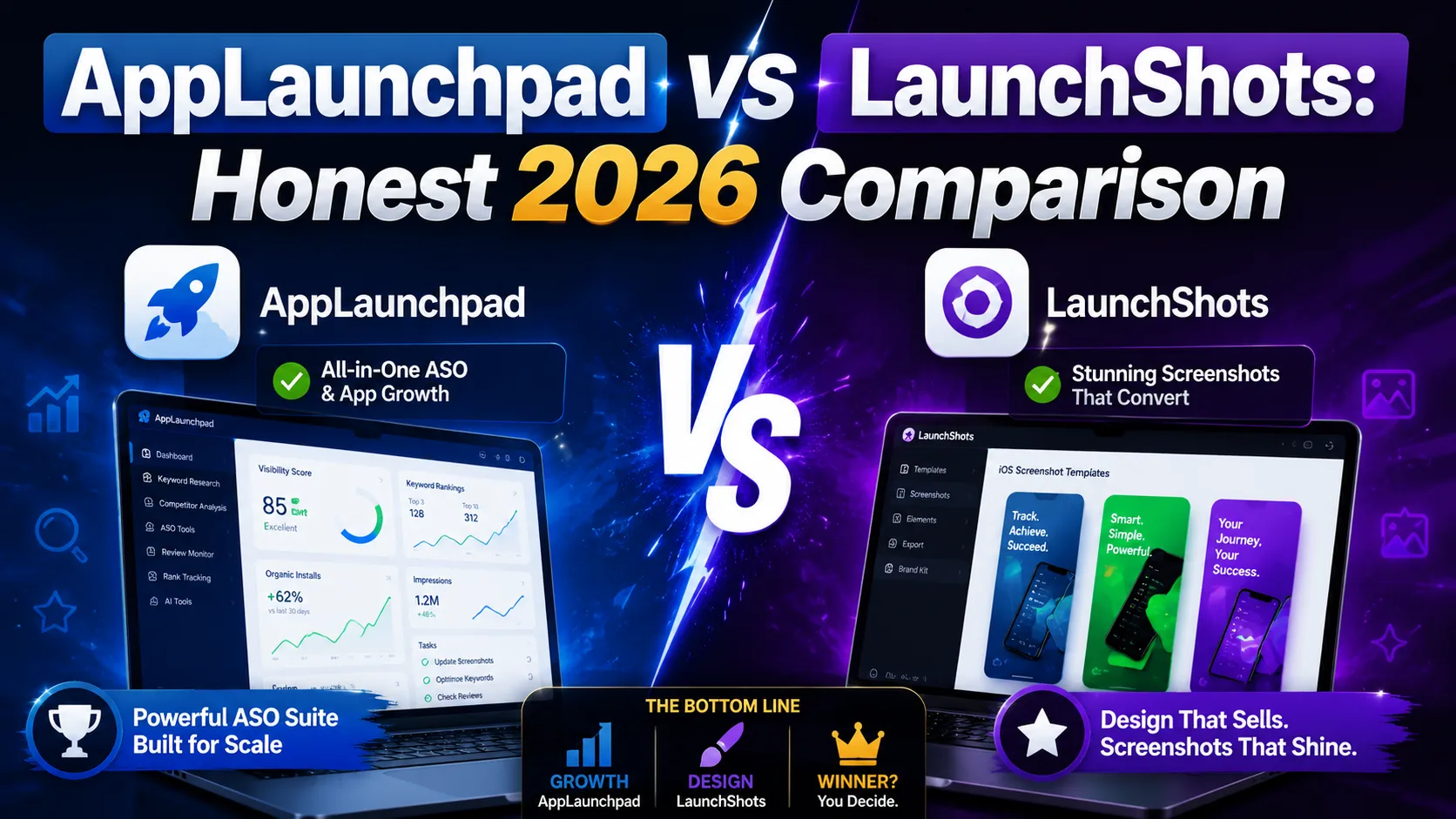
Choosing the right App Store screenshot tool is one of those decisions that doesn't matter much until it does — and then it matters a lot. The wrong tool means a weekend of wasted time, a frustrating subscription, screenshots that don't fit the new device requirements, or watermarks on the visuals you're trying to use to sell your app. AppLaunchpad has been the established name in the category for years, and LaunchShots is the newer, fully free entrant. Both produce App Store and Google Play screenshots; both run in your browser. Beyond that, the differences are significant — and the right choice depends on what you're actually trying to do. This is the honest comparison for 2026: what each tool actually offers, what each one costs, where each one wins, and which one fits which kind of indie developer.
What each tool actually is
Both tools solve the same surface problem (designing App Store and Google Play screenshots in the browser without installing software), but they take meaningfully different approaches:
- AppLaunchpad (theapplaunchpad.com): A template-driven screenshot generator with 1,000+ pre-built templates and a 10,000+ asset library. Founded years before LaunchShots and currently the most established name in the category. Free tier with limitations; Pro tier at $29/month or $180/year. Requires account signup. Adds watermarks to free-tier exports.
- LaunchShots (launchshots.app): A free, no-signup screenshot editor focused on producing the exact pixel dimensions both stores require, including the 2026 iPhone 6.9″ (1320×2868) requirement. No account creation, no watermarks, no paid tier. Built by a solo indie developer; runs entirely in your browser; no data uploaded.
The shorthand: AppLaunchpad is the polished commercial product with the larger template library; LaunchShots is the free indie tool with no friction. Both work; they're aimed at different developer profiles.
Pricing: the most consequential difference
This is where the two tools diverge most clearly:
- AppLaunchpad Free: Limited selection of fonts, stickers, backgrounds, devices, and layouts. Free exports carry a watermark, making them unsuitable for actual App Store submission. Useful for prototyping; not for shipping.
- AppLaunchpad Pro: $29/month or $180/year. Removes watermarks, unlocks all templates, removes feature limits. Cancellable anytime; supports major credit cards with 3D Secure.
- LaunchShots: Free. No tier, no upgrade prompt, no watermark on exports. Pay-what-you-want optional support tip jar, but no feature is gated.
For an indie developer with a single annual launch, AppLaunchpad's $29 for one month is reasonable. For a developer shipping multiple apps, updating screenshots seasonally, or building products that need regular asset refresh, the math shifts. $180/year recurring on a tool you might use intensively for 3–4 weeks and rarely touch the rest of the year is real money. The honest take: AppLaunchpad's pricing makes sense if you'd use the template library heavily; LaunchShots' free model makes sense if you mostly need to produce pixel-perfect output without subscription overhead.
Feature comparison side by side
What each tool gives you, line by line:
- Template library: AppLaunchpad has 1,000+ pre-built templates. LaunchShots focuses on producing clean output from your own designs rather than starting from templates. If you want template-driven design, AppLaunchpad wins. If you have your own visual direction, the template count is less relevant.
- Asset library: AppLaunchpad includes 10,000+ stock assets (icons, illustrations, backgrounds). LaunchShots is intentionally minimal — bring your own assets. AppLaunchpad wins for users who need a stock asset library.
- Device support: Both support the latest iPhones (iPhone 17 family, iPad Pro M4) and Android devices. Both produce the 2026-required iPhone 6.9″ (1320×2868) screenshot size. Even on this front.
- Signup required: AppLaunchpad requires an account to access the editor. LaunchShots requires no account, no email, no password. LaunchShots wins for friction-free workflows.
- Watermarks on free exports: AppLaunchpad free tier adds watermarks. LaunchShots has no watermark on any export. LaunchShots wins for indie developers who can't justify the Pro subscription.
- Localization / multi-language support: Both support multiple languages. LaunchShots ships with built-in support for 23 languages from the same single design. AppLaunchpad supports localization but requires extra steps per language.
- Browser-only / no install: Both run entirely in the browser. Even on this front.
- Page performance: LaunchShots loads faster on average (fully static, no signup gate). AppLaunchpad's editor is more feature-heavy and takes longer to load. LaunchShots wins on raw speed.
- Tool ecosystem: LaunchShots ships alongside an app icon generator, ASO description writer, feature graphic maker, privacy policy generator, app-ads.txt generator, and QR code generator — all free, all no-signup. AppLaunchpad focuses on screenshots and offers some companion blog tools. LaunchShots wins for developers who want a single free toolkit covering most asset and metadata needs.
- Data privacy: Both run in browser. LaunchShots explicitly doesn't upload your designs to any server. AppLaunchpad routes through their backend (necessary for the cloud-saved templates and account features).
- Brand maturity: AppLaunchpad is the established player with years of operation and a larger user base. LaunchShots is newer and less well-known. AppLaunchpad wins on brand reassurance for developers who prefer established tools.
Where AppLaunchpad genuinely wins
Despite our bias as the team behind LaunchShots, there are real situations where AppLaunchpad is the better choice:
- You want a deep template library and don't have design direction. 1,000+ templates is substantially more than LaunchShots offers. If you'd rather start from a template and customize than from a blank canvas, AppLaunchpad's library is genuinely useful.
- You need a large stock asset library. 10,000+ stock illustrations and icons saves time when you don't already have brand assets. LaunchShots assumes you'll bring your own.
- You're a design agency or studio shipping multiple client projects per month. The $180/year flat cost is small relative to billable hours, and the template library accelerates client work.
- You prefer the certainty of a commercial product. AppLaunchpad has a support team, a paid tier signaling long-term operation, and an established user base. For some developers, that's worth $29/month for peace of mind.
- You need their specific AI generation features. AppLaunchpad has invested in AI-driven generation and template recommendation; LaunchShots is intentionally simpler and human-driven.
Where LaunchShots genuinely wins
And the situations where LaunchShots is the better choice:
- You want truly free with no watermarks. LaunchShots produces App Store–ready exports without watermarks on the free tier — because there is no paid tier. AppLaunchpad's free exports can't be used for actual submission.
- You hate signup forms. No account creation, no email, no password to remember. Open the site, design, export, done. AppLaunchpad requires an account before you can use the editor.
- You're a solo indie developer with limited launch budget. The math for indies often doesn't justify a $29/month subscription for a tool used a few weeks per year. LaunchShots is built for exactly this profile.
- You need to localize across many languages at once. 23 languages built into a single design workflow vs. step-by-step localization in AppLaunchpad.
- You value page speed and simplicity. LaunchShots loads faster and has a simpler interface. AppLaunchpad has more features but more friction in the path between landing and exporting.
- You want a free toolkit for the full launch. Icon generation, ASO copy, feature graphic, privacy policy, app-ads.txt, QR codes — all free in the same ecosystem. AppLaunchpad focuses on screenshots specifically.
- You prioritize data privacy. Designs stay in your browser. Nothing uploaded to a server. AppLaunchpad's cloud-backed editor requires routing through their backend.
The decision framework
Rather than "which is better," ask yourself five questions:
- 1. Do I need a template library, or do I have my own design direction? Templates → AppLaunchpad. Own designs → either works, LaunchShots is friction-free.
- 2. Am I willing to pay $29/month for a screenshot tool? Yes → AppLaunchpad is more polished. No → LaunchShots is free.
- 3. Is signup friction acceptable, or does it stop me from starting? Acceptable → either works. A blocker → LaunchShots.
- 4. Do I need to localize across many languages at once? Yes → LaunchShots' 23-language workflow. Occasional localization → either works.
- 5. Will I use this tool intensively (multiple launches per month) or sporadically? Intensively → AppLaunchpad's library pays off. Sporadically → LaunchShots' free model is more economical.
If you answered "AppLaunchpad" to most: pick AppLaunchpad. If you answered "LaunchShots" to most: pick LaunchShots. Most indie developers shipping 1–4 apps a year fit the LaunchShots profile; design agencies and template-heavy workflows fit AppLaunchpad's profile.
Common scenarios — which tool fits
To make this concrete, here's which tool actually fits for different developer profiles:
- Solo indie launching their first app: LaunchShots. No need to sign up or pay before knowing if the launch will succeed.
- Indie developer shipping their 3rd app, with existing brand assets: LaunchShots. The templates aren't the bottleneck; pixel-perfect output is.
- Design agency producing assets for 10 clients per month: AppLaunchpad. Library and templates pay back the subscription cost quickly.
- Solo developer launching a fitness app needing rich illustrations: AppLaunchpad if you'd benefit from the 10K asset library. LaunchShots if you have your own illustrations.
- Developer localizing into 10+ languages: LaunchShots' single-design 23-language workflow saves significant time.
- Developer who needs a feature graphic, icon, privacy policy, AND screenshots: LaunchShots' ecosystem covers all four free. AppLaunchpad focuses on screenshots.
- Indie developer who already pays for Figma: Honestly, both tools are optional in this case. The choice comes down to whether you want a dedicated workflow or you're fine designing in Figma and exporting at App Store dimensions yourself.
What both tools can't do (and where you'll still need to think)
Neither tool solves the strategic decisions that actually drive App Store conversion:
- What goes in your screenshot captions. The caption text — what value you communicate in three to seven screens — matters more than which tool generates the pixels. Both tools let you write captions; neither writes them for you.
- Which features to highlight. The first two screenshots carry 80% of the conversion. Choosing what they show is product judgment, not tooling.
- Whether to use device frames or full-bleed designs. Both work; both tools let you do either. The right call depends on your category and audience.
- How many screenshots to use. 5–7 is the sweet spot; both tools support up to 10. The question is which 5–7 best sell your app.
For the strategic side, our guide on App Store screenshots that convert covers the patterns that actually drive installs — independent of which tool you use to generate the pixels.
Frequently asked questions
Is LaunchShots really free, or is there a hidden upsell?
It's genuinely free. No paid tier exists, no feature is gated behind upgrade prompts, no watermarks on exports. There is an optional pay-what-you-want support page for developers who want to chip in, but it's never required and never blocks any feature.
Can I use AppLaunchpad's free tier for actual App Store submission?
Technically you can submit, but the watermark on free-tier exports makes the screenshots unsuitable for a polished listing. Apple won't reject the submission for the watermark, but real users seeing watermarked screenshots will perceive the app as amateur.
Which tool supports the iPhone 6.9″ requirement?
Both. The 1320×2868 dimension required for new 2026 submissions is supported by both AppLaunchpad and LaunchShots. Older AppLaunchpad templates may not be sized correctly; use the current ones.
Can I export from one tool and edit in the other?
The export formats (PNG, JPG) work in any image editor, so technically yes. But the project files aren't interchangeable. Pick a tool and commit for the duration of that project.
Does AppLaunchpad have a tool ecosystem like LaunchShots?
AppLaunchpad focuses primarily on screenshots and mockups. They have some companion content and blog resources, but not the broader free toolkit (icon generator, ASO writer, feature graphic maker, privacy policy generator) that LaunchShots includes alongside the screenshot editor.
How do localization workflows compare?
LaunchShots is designed around 23 languages from a single source design — change once, export the full localized set. AppLaunchpad supports localization but requires more manual setup per language.
Which is better for design agencies?
AppLaunchpad's library and templates favor agency workflows where you're producing assets for many clients across categories. The $180/year cost is small relative to billable hours.
Which is better for solo indie developers?
For most solo indies launching 1–4 apps per year, LaunchShots' free model is more economical and the friction-free workflow saves time. For solo indies who want templates and don't mind paying, AppLaunchpad works too.
Will either tool replace a real designer?
No. Both tools accelerate execution; neither replaces design judgment. If you have a designer, they'll likely export from their tool of choice (Figma, Sketch, Adobe XD) and use either AppLaunchpad or LaunchShots only for the final sizing pass.
Can I trust LaunchShots since it's newer?
LaunchShots is built by a solo indie developer and is fully transparent about it. It runs entirely in your browser — your designs aren't uploaded to a server, so even if the site went offline, your in-progress designs would still be on your machine. The lack of account also means there's nothing to lose if you stop using it.
The bottom line
AppLaunchpad and LaunchShots both work; they're not competing for the same developer. AppLaunchpad is the polished commercial product with the larger template library, better suited to design agencies, template-heavy workflows, and developers who'd benefit from a deep asset library. LaunchShots is the free indie tool with no friction, no watermarks, no signup, and a broader free ecosystem of companion tools — better suited to solo indie developers, friction-averse workflows, and developers who'd rather not subscribe to a screenshot tool they use a few weeks per year. The honest test for either tool: ship a real set of App Store and Google Play screenshots with it, then decide if the workflow fits how you actually work.
Whichever tool you pick, the strategic decisions still matter more than the tool itself. Our screenshots that convert guide covers the patterns that drive installs, and the complete visual assets checklist covers every required asset for both stores in 2026 — icon, screenshots, feature graphic, preview video, and the listing copy that ties them together.
Related posts
Make your App Store screenshots free
LaunchShots is a free, in-browser screenshot maker. No signup, no watermark.
Open the app →
Comments (0)