W-8BEN for Indie Developers: How to Avoid 30% Withholding (2026)
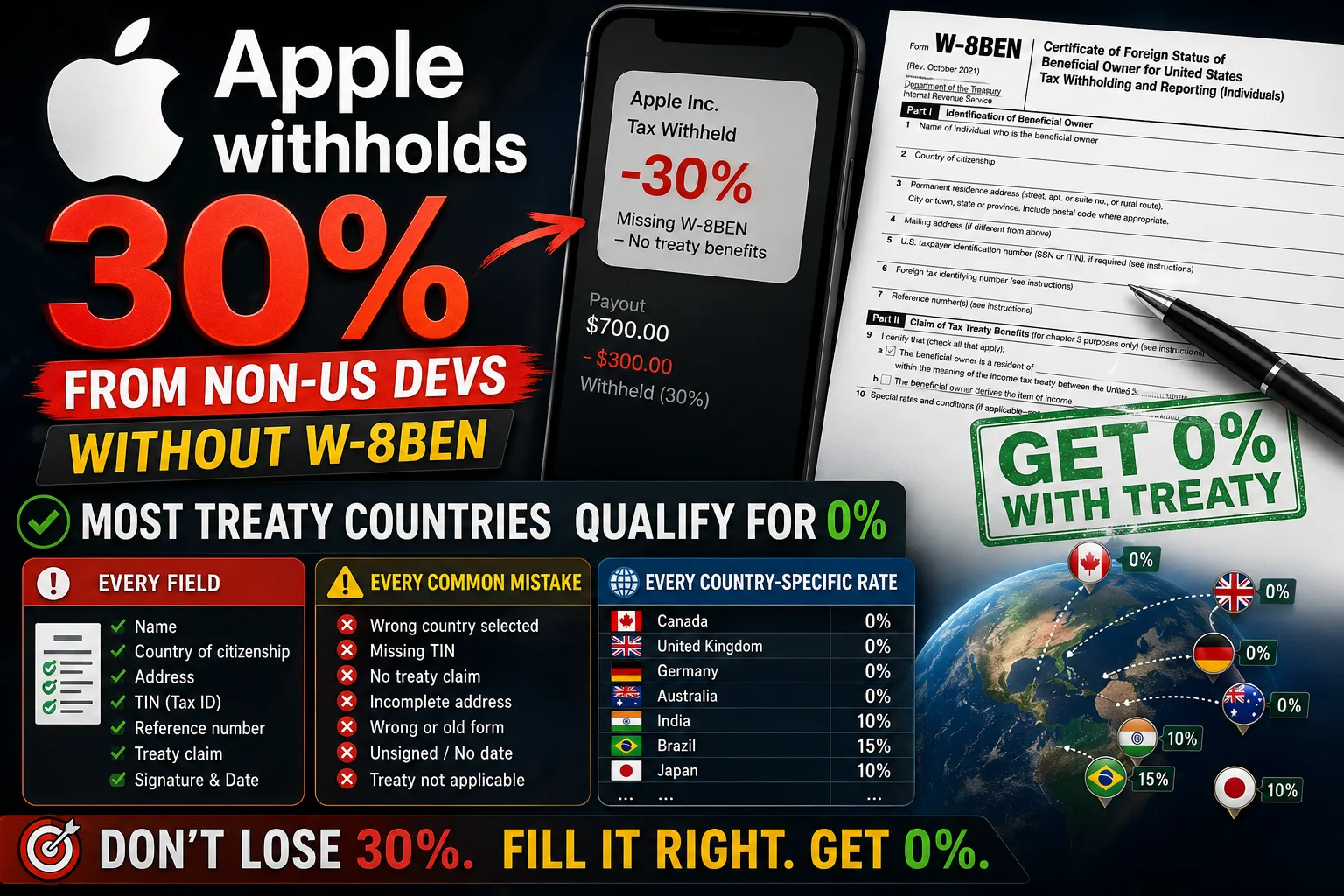
If you live outside the United States and you've just enrolled in the Apple Developer Program, you'll be staring at a form called W-8BEN before you can earn a single dollar. The form is short, the stakes are high, and Apple's interface gives you almost no guidance. Get it wrong — leave the wrong box checked, skip the treaty article, mis-enter your TIN — and Apple withholds 30% of your future earnings for the IRS, automatically, regardless of whether your country has a tax treaty saying you owe zero. This is the operator-level guide to W-8BEN for international App Store developers in 2026: exactly what to enter in each field, why the form matters even when no withholding applies, the country-specific treaty rates that determine your real tax cost, and the rules that quietly cost developers thousands of dollars per year.
What W-8BEN actually does
W-8BEN is an IRS form that does two things at once:
- It certifies you're a non-US person. Without this certification, US withholding agents (Apple, Google, Stripe, every US-based payer) are legally required to withhold 30% of payments to you and remit it to the IRS. That's a flat 30%, on every dollar, regardless of your country.
- It claims tax treaty benefits if applicable. If your country has a tax treaty with the US, you can use Part II of the form to claim a reduced withholding rate — often 0% for software royalties, 5–15% for other income types. Without the treaty claim, the 30% default applies.
For Apple specifically, there's a nuance worth knowing. Apple has confirmed in writing that application sales by non-US developers on the App Store are not subject to US tax withholding or reporting. That sounds like the form doesn't matter — but it does. Without a valid W-8BEN on file, Apple cannot disburse payments to you at all. The form establishes your foreign status; without it, your earnings are held until you submit it.
You have to fill out W-8BEN. The question is whether you're filling it correctly or leaving money on the table.
W-8BEN vs W-8BEN-E: which one applies to you
The two forms look similar but apply to different situations:
- W-8BEN: Used by individuals. If you enrolled in the Apple Developer Program as an Individual (not an Organization), this is your form.
- W-8BEN-E: Used by foreign entities — companies, LLCs, partnerships. If you enrolled as an Organization with a registered business, this is your form.
The forms have different layouts and different questions. Mixing them up is a common cause of Apple rejecting your tax submission. Check your developer enrollment type first; pick the right form.
Where to find the form in App Store Connect
Apple's interface buries the tax forms under non-obvious navigation:
- Log in to App Store Connect.
- Click your account name (top right) → Agreements, Tax, and Banking.
- Under Tax Forms, click your active country or "Add Tax Form."
- Apple presents a digital W-8BEN form (or W-8BEN-E for organizations) with checkboxes and fields you complete on screen.
For Google Play, the equivalent path: Play Console → Payments → Settings → Manage Settings → United States Tax Info.
Both Apple and Google submit the form electronically — you don't print, sign, and mail anything. The digital submission is legally equivalent to a paper W-8BEN, valid for three calendar years, then must be re-submitted.
Part I: Identification — what to enter line by line
Part I is straightforward but has fields developers get wrong:
- Line 1 — Name of beneficial owner: Your legal name as it appears on official identification. Match it exactly to your Apple Developer enrollment name. Mismatches trigger Apple's verification flow.
- Line 2 — Country of citizenship: Your citizenship country, not your residence country if they differ. For most indie developers these are the same.
- Line 3 — Permanent residence address: Your physical address in your country of residence. PO boxes and "in-care-of" addresses aren't acceptable. Use the address on your government ID or utility bill.
- Line 4 — Mailing address (if different): Optional, only if your mailing address differs from line 3.
- Line 5 — US taxpayer identification number (SSN or ITIN): Leave blank for most non-US developers. You only fill this if you have a US SSN or ITIN, which most international developers don't and don't need.
- Line 6 — Foreign tax identifying number (FTIN): Your tax ID in your home country. Country-specific:
- Turkey: Your TC Kimlik Numarası (11-digit national ID).
- India: Your PAN (Permanent Account Number, 10 characters alphanumeric).
- UK: Your UTR (Unique Taxpayer Reference) or NINO (National Insurance Number).
- Germany: Your Steueridentifikationsnummer (11-digit Tax ID).
- Brazil: Your CPF (11-digit).
- Australia: Your TFN (9-digit Tax File Number).
- Other countries: Your equivalent national tax identifier.
If your country doesn't issue a tax ID at all (some smaller jurisdictions), enter your passport number with the country code as fallback.
- Line 7 — Reference number: Leave blank unless instructed by Apple. Apple does not use this field.
- Line 8 — Date of birth: MM-DD-YYYY format. Required for individuals.
Part II: Tax Treaty Benefits — the part that saves you money
This is where W-8BEN actually delivers value. Part II lets you claim treaty rates that reduce or eliminate the default 30% withholding. For most software developers in treaty countries, the correct claim brings the rate down to 0%.
The fields that matter:
- Line 9 — Country of treaty residence: Your country of tax residence (usually the same as Line 3). Must be a country with an active tax treaty with the US for this section to apply.
- Line 10 — Special rates and conditions: This is where most developers get stuck. For App Store / Google Play software sales, the typical entry is:
Article number: 7 (in most US tax treaties, Article 7 covers Business Profits, which is how Apple treats App Store sales).
Paragraph: 1
Rate: 0%
Type of income: "Income from the sale of applications" or "Business profits from sale of software"
The Apple-recommended entry for most treaty countries (including Turkey, Germany, UK, India, Spain, France, and others): Article 7, paragraph 1, rate 0%, income from the sale of applications.
Verify your country's treaty matches this structure before submitting. Most do, but a few use different article numbers — Australia uses Article 7(1), Japan uses Article 7, Israel uses Article 8 for business profits. The IRS maintains a searchable list of all current tax treaties; check yours if you're not sure.
Country-specific treaty rates for App Store income
The withholding rate that applies depends on your country's treaty with the US. For software sales (typically treated as business profits, not royalties):
- Turkey: 0% (Article 7, paragraph 1).
- Germany: 0% (Article 7).
- United Kingdom: 0% (Article 7).
- France: 0% (Article 7).
- Spain: 0% (Article 7).
- India: Disputed — software income is sometimes treated as royalty (15%) and sometimes as business profit (0%). Most Indian developers use 0% under Article 7. Check with a local tax advisor if amounts are significant.
- Brazil: No US treaty. 30% default applies.
- UAE: No US treaty. 30% default applies.
- Australia: 0% (Article 7).
- Japan: 0% (Article 7).
- Canada: 0% (Article 7).
- Most EU member states: 0% (Article 7).
- Singapore: 0% (Article 7).
- South Korea: 0% (Article 7).
The pattern: most developed countries have treaties with 0% on business profits. The exceptions (Brazil, UAE, Saudi Arabia, a handful of others) face the 30% default withholding.
One important nuance: even if your treaty rate is 0%, you still must file W-8BEN to claim it. The default for an unfiled W-8BEN is 30%, not your treaty rate. The form is what activates the treaty benefit.
Part III: Certification
The final section is a signature and date. Two practical notes:
- Sign your legal name as entered in Part I, Line 1. Mismatches trigger Apple's review.
- Date format: MM-DD-YYYY (US format). Use today's date when submitting.
- If you're signing for a child under 18 or someone you have power of attorney for, indicate the relationship. For your own account, this doesn't apply.
Apple's digital signature interface usually handles all of this for you — you click a checkbox certifying the information is accurate, and Apple captures the date automatically.
Common mistakes that cost developers money
The patterns that consistently trip up first-time filers:
- Leaving Part II blank when your country has a treaty. Apple defaults to 30% withholding without a treaty claim. Even if you live in a treaty country, an unfilled Part II costs you 30% of all US-sourced earnings. Apple's interface doesn't warn you about this.
- Entering Line 5 (US TIN) when you don't have one. Some developers enter their home-country tax ID into Line 5 thinking it's a generic tax ID field. Line 5 is for US-issued SSN or ITIN only. Use Line 6 for your foreign tax ID.
- Using W-8BEN-E when you should use W-8BEN (or vice versa). Individual developers use W-8BEN. Organizations use W-8BEN-E. Mixing them triggers rejection.
- Wrong treaty article number. Most treaties use Article 7 for business profits, but verify your country's specific treaty before entering. The wrong article means the treaty claim may be invalid.
- Forgetting to update after moving. If you relocate to a different country, you need to file a new W-8BEN reflecting your new tax residence. The form follows your tax residence, not your nationality.
- Not renewing every 3 years. W-8BEN expires after three calendar years. Apple sends a reminder, but if you miss it, withholding may resume at the default 30% rate.
- Mismatching name on W-8BEN with bank account. If your developer enrollment is in your personal name but your bank account is in a company name (or vice versa), Apple's verification flags the mismatch.
When you actually owe US tax
Filing W-8BEN correctly typically results in zero US withholding for software developers in treaty countries. But there are situations where you do owe something:
- If your country has no treaty (Brazil, UAE, Saudi Arabia, etc.): 30% withholding applies. There's no legal way around it — you can deduct it from your home-country tax filing in some cases, depending on your local rules.
- If your apps generate "royalty" income rather than business profits: Some types of in-app content (music, written content licensed separately) may be classified as royalty, which has different treaty rates. For standard App Store sales, this rarely applies.
- If you have a US business presence: If you have a US office, US employees, or significant US-based operations, you may have a US "permanent establishment" and owe US income tax on profits attributable to it. This is rare for solo indie developers.
For the vast majority of indie iOS developers outside the US, the correct W-8BEN filing means zero US withholding and zero US income tax. You still owe income tax in your home country on your worldwide earnings — that part is not affected by W-8BEN.
What if you've been withheld 30% already?
If you submitted Apple's W-8BEN incorrectly, didn't submit one at all, or are from a country without a treaty, Apple may have withheld 30% from past earnings. Recovery options:
- Fix the form going forward. Submit a correct W-8BEN now. Future earnings will be withheld correctly. Past withholding is harder to recover.
- File US tax return (Form 1040-NR). Non-resident aliens with US-sourced income that was over-withheld can file a US tax return claiming a refund. The process is complex and usually requires a US tax preparer.
- Claim a credit in your home country. Most home countries allow you to credit foreign taxes paid (including US withholding) against your local income tax liability. The specific mechanism depends on your country's tax code.
The cleanest path is correct filing from day one. Recovery of past over-withholding is possible but expensive in time and accountant fees.
Frequently asked questions
Do I have to file W-8BEN if I'm not earning anything yet?
Yes. Apple requires a completed W-8BEN before they can issue payments to you, even for zero-balance accounts. Submit it as part of your developer onboarding, not after your first sale.
How long does W-8BEN take to process?
Apple's digital submission is usually validated within 1–3 business days. If Apple flags anything, you'll receive an email asking for clarification.
Can I file W-8BEN if I have a US bank account?
Yes. Having a US bank account doesn't make you a US person for tax purposes. As long as you're a non-resident alien (don't meet the US substantial presence test), you file W-8BEN, not W-9.
What's the difference between W-8BEN and W-9?
W-9 is for US persons (citizens, green card holders, US residents). W-8BEN is for non-US persons. You file one or the other, not both. Filing the wrong form has serious consequences — file W-8BEN if you're not a US tax resident.
What if I live in a country without a US tax treaty?
You still file W-8BEN, but skip Part II (treaty claim). Apple will withhold 30% on US-sourced income. The 30% is then your US tax obligation; whether you can recover any of it depends on your home country's tax code.
Does W-8BEN cover Google Play too?
No. Each US payer requires its own W-8BEN. You file one with Apple via App Store Connect, another with Google via Play Console, and additional ones with any other US-based payment processors (Stripe, AdSense, etc.).
What if I move to a new country?
File a new W-8BEN immediately with your new country of tax residence. The form follows tax residence, not nationality. Outdated W-8BENs after a move are technically invalid.
What if I make a mistake on the form after submitting?
Submit a corrected W-8BEN. Apple's interface lets you replace the existing form. The new submission supersedes the old one; you don't need to formally retract the prior version.
Do I need a tax advisor to fill out W-8BEN?
For straightforward cases (individual developer, country with active US treaty, App Store sales only), most developers complete it themselves successfully. If your situation is complex — multiple income types, US business presence, dual residence — a local tax advisor familiar with US tax treaties is worth the cost.
What happens to the W-8BEN after I submit it?
Apple stores it internally. You don't send it to the IRS yourself. Apple uses it to determine how much (if anything) to withhold from your payments and reports the relevant data to the IRS on your behalf via Form 1042-S annually.
The bottom line
For international indie developers, W-8BEN is the one piece of paperwork that determines whether Apple sends you 70% of your earnings or 100%. Most developers in treaty countries (Turkey, Germany, UK, France, Spain, India, Japan, Australia, Canada, most of the EU) qualify for 0% withholding under Article 7 of their country's tax treaty — but only if Part II is filled out correctly. The form takes 15 minutes to complete. The cost of getting it wrong is 30% of your App Store income, indefinitely. Spend the time, double-check your treaty article, and submit before your first sale clears.
Once your tax setup is correct, the next financial decision is whether you're enrolled in the Apple Small Business Program for the 15% commission rate. The two work together: W-8BEN handles US withholding (typically 0%), and the Small Business Program handles Apple's commission (15% instead of 30% on your first $1M). Our Apple Small Business Program guide covers eligibility and enrollment, and the Google Play 15% fee guide covers the Android equivalent. For everything else — from initial enrollment to your first submission — the App Store Connect setup guide walks through the full launch process.
Related posts
Make your App Store screenshots free
LaunchShots is a free, in-browser screenshot maker. No signup, no watermark.
Open the app →
Comments (0)