AppMockUp vs LaunchShots: 2026 Honest Comparison
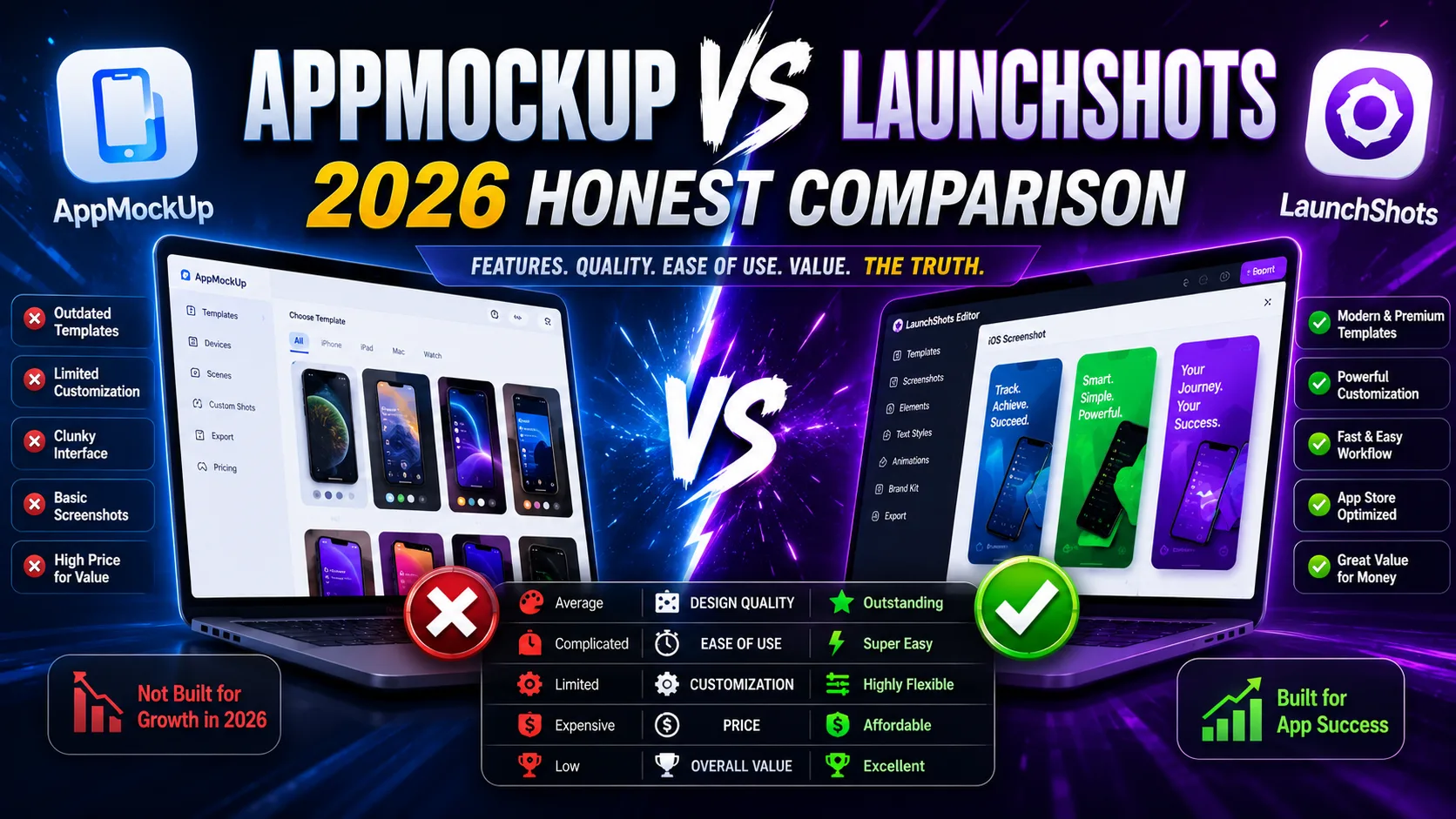
AppMockUp Studio has been a quiet favorite of indie iOS developers for years — fully free, no signup, browser-based, with a loyal user base that's been recommending it on Twitter since long before "ASO" became a search trend. LaunchShots is the newer entrant in the same category, and on the surface the two tools look identical: free, no signup, browser-based, App Store and Google Play screenshots. Once you actually use them, the differences become clear — and the right pick depends on what you're building and what else you need beyond screenshots. This is the honest comparison for 2026: what each tool offers, where each one wins, the categories AppMockUp doesn't support, and which one fits which kind of indie developer.
What each tool actually is
Both tools solve the same surface problem (free App Store and Google Play screenshots in the browser) but with different scope:
- AppMockUp Studio (app-mockup.com): A free, no-signup screenshot designer with a strong template library, pattern generator, mesh gradient backgrounds, and panoramic background support. Years of operation, dedicated user base, well-regarded in indie iOS community. Focused entirely on screenshots — no companion tools for icons, ASO copy, or feature graphics.
- LaunchShots (launchshots.app): A free, no-signup screenshot editor focused on producing exact App Store and Google Play required dimensions (including the 2026 iPhone 6.9″ 1320×2868 requirement), plus a wider toolkit: app icon generator, ASO description writer, feature graphic maker, privacy policy generator, app-ads.txt generator, and QR code generator. Newer, smaller user base than AppMockUp.
The shorthand: AppMockUp is a focused, mature screenshot tool. LaunchShots is a screenshot editor plus a wider free toolkit for the full launch. Both are genuinely free, both work without signup, both produce App Store-ready exports — but the scope differs.
Pricing: both genuinely free
This is the rare comparison where pricing actually isn't a differentiator:
- AppMockUp Studio: Free. No tier, no signup, no watermark on exports. Long-standing free model with a track record of staying free (testimonials from users spanning multiple years).
- LaunchShots: Free. No tier, no signup, no watermark. Pay-what-you-want tip jar exists but no feature is gated.
For most indie developers comparing these two, cost is not the deciding factor. Both are zero-dollar paths to App Store-ready screenshots. The choice comes down to scope, features, and workflow fit.
The biggest difference: what AppMockUp doesn't support
One detail in AppMockUp's documentation that catches many developers off-guard: AppMockUp Studio explicitly excludes games. The official site lists the categories it supports — productivity apps, health and fitness, business tools, social platforms, utilities — and explicitly states it's "designed for all types of apps except games."
This isn't a soft limitation. AppMockUp's design philosophy targets productivity-style screenshots: clear text overlays, device frames, feature descriptions. Game screenshot conventions (full-bleed action shots, character art, kinetic effects, level previews) aren't part of AppMockUp's design vocabulary.
LaunchShots makes no such category restriction. Game developers, AR app makers, and category-fluid apps all work in the same editor. If your app is a game, AR experience, or anything that benefits from full-bleed visuals rather than productivity-style framing, AppMockUp isn't an option — LaunchShots is.
Feature comparison side by side
What each tool gives you, line by line:
- Free with no signup: Both ✅. Identical on this axis.
- No watermark on exports: Both ✅. Identical.
- Browser-based, no install: Both ✅. Identical.
- Template library: AppMockUp has a strong, curated template library refined over years. LaunchShots has a smaller library and assumes you'll bring more of your own design direction. AppMockUp wins for template-driven workflows.
- Pattern generator: AppMockUp has a custom pattern generator for textured backgrounds. LaunchShots doesn't. AppMockUp wins on visual variety inside the editor.
- Mesh gradient generator: AppMockUp has a mesh gradient creator. LaunchShots supports standard gradients but no mesh-specific tool. AppMockUp wins.
- Panoramic backgrounds: AppMockUp supports panoramic images that span multiple screenshots. LaunchShots doesn't have a dedicated panoramic feature. AppMockUp wins.
- Games support: LaunchShots ✅. AppMockUp ❌ (explicitly excludes games). Decisive for game developers.
- iPhone 6.9″ (1320×2868) export: Both support the current 2026 requirement. Even on this front.
- Localization workflow: AppMockUp supports all languages and RTL scripts; LaunchShots ships with 23 languages built into a single-design workflow. Both work for localization; LaunchShots' multi-language approach is more streamlined when you want to localize once and export all variants together.
- App icon generator: LaunchShots ✅ (companion tool). AppMockUp ❌.
- ASO description writer: LaunchShots ✅. AppMockUp ❌.
- Feature graphic maker (Google Play 1024×500): LaunchShots ✅. AppMockUp ❌.
- Privacy policy generator: LaunchShots ✅. AppMockUp ❌.
- app-ads.txt generator: LaunchShots ✅. AppMockUp ❌.
- QR code generator: LaunchShots ✅. AppMockUp ❌.
- Maturity / track record: AppMockUp has years of operation, dedicated user base, and proven longevity. LaunchShots is newer. AppMockUp wins on brand reassurance for developers who value established tools.
Where AppMockUp Studio genuinely wins
Despite our bias, there are real situations where AppMockUp is the better choice:
- You want a polished template library with years of refinement. AppMockUp's templates have been iterated on with real user feedback for a long time. They're well-designed, category-appropriate, and ready to use without much customization.
- You love the pattern and mesh gradient features. AppMockUp's custom pattern generator and mesh gradient creator are genuinely well-built. If you want textured backgrounds without leaving the editor, AppMockUp does this better.
- You want panoramic backgrounds spanning multiple screenshots. The connected panoramic background feature is a signature AppMockUp move. It creates a visual storyline across your screenshot set that's harder to replicate elsewhere.
- You're shipping a non-game productivity app. AppMockUp's design philosophy maps perfectly to productivity, business, fitness, and utility apps. If your app fits this profile and you don't need the broader toolkit, AppMockUp is excellent.
- You prefer the certainty of a long-running tool. AppMockUp has been around for years with consistent updates. For developers who don't want to bet on a newer tool, the maturity matters.
- You only need screenshots and have everything else covered. If you have your own designer or design tools for icons, ASO copy, and feature graphics, the broader LaunchShots ecosystem is wasted on you. AppMockUp's focused approach is cleaner.
Where LaunchShots genuinely wins
And the situations where LaunchShots is the better choice:
- You're shipping a game or non-productivity app. AppMockUp explicitly excludes games. LaunchShots doesn't restrict by category. Decisive for game developers.
- You need more than just screenshots. Icon, ASO copy, feature graphic, privacy policy, app-ads.txt, QR codes — all free in the same ecosystem. AppMockUp focuses on screenshots only; you'd need 4–5 other tools to cover what LaunchShots includes.
- You want a multi-language workflow as a first-class feature. 23 languages built into a single design, export the full localized set at once. AppMockUp supports localization but requires more manual setup per language.
- You want the editor to handle the dimension changes for you. When Apple updated the required size to 1320×2868 in 2026, LaunchShots absorbed it as a base feature. AppMockUp updated too, but multi-tool workflows that build around its API or older templates require manual updates.
- You value the ecosystem effect over a single polished tool. Indie launches need 5–7 different assets (icons, screenshots, feature graphics, privacy policy, ASO copy, etc.). One tool that handles all of them with consistent UX beats five separate tools you have to learn and maintain accounts for — even if any individual one is slightly less polished.
- You're starting fresh with no existing template loyalty. If you're not already comfortable with AppMockUp's template library, learning LaunchShots' single-editor workflow is straightforward and covers more ground.
The friction-free overlap (where they're functionally equivalent)
An honest observation: for most indie developers shipping a standard productivity app and only needing screenshots, AppMockUp and LaunchShots are functionally equivalent. Both are free, both have no signup, both have no watermarks, both produce App Store-ready exports at correct dimensions, both support all languages.
If you fall in this overlap zone, the right choice depends on preference more than capability:
- Prefer mature, polished, focused tools? AppMockUp.
- Prefer one-stop ecosystem with multiple companion tools? LaunchShots.
- Need to ship a game? LaunchShots (AppMockUp doesn't support games).
- Need to localize into 5+ languages? LaunchShots' single-design workflow saves time.
- Need a feature graphic, icon, and privacy policy too? LaunchShots covers all of them; AppMockUp doesn't.
This isn't a "one tool is obviously better" comparison. Both are good. The right one is the one whose scope matches your needs.
Real-world scenarios — which tool fits
To make this concrete:
- Solo indie launching a meditation app: Either works. AppMockUp's productivity-template strength matches the category. LaunchShots covers it too with the ecosystem bonus.
- Solo indie launching a casual game: LaunchShots. AppMockUp explicitly excludes games.
- Indie shipping in 5+ languages: LaunchShots' 23-language single-design workflow is meaningfully faster than AppMockUp's per-language approach.
- Developer launching first app, needs icon + screenshots + feature graphic + privacy policy: LaunchShots covers all four in one ecosystem. AppMockUp covers screenshots only; you'd need 3 other tools.
- Designer who already has icon and brand assets, just needs screenshots: Either works. AppMockUp's polished templates may save more time; LaunchShots' editor gives you more control over your existing brand assets.
- Developer publishing AR or visionOS apps: LaunchShots handles non-productivity categories. AppMockUp's template library is productivity-focused.
- Indie who values mature tools with long track records: AppMockUp. Years of operation and consistent updates.
- Indie who wants the latest 2026 features baked in: Either works — both updated for iPhone 6.9″ requirement.
What neither tool actually does
Both tools generate the pixels; neither makes the strategic decisions that actually drive App Store conversion:
- What goes in your screenshot captions. The text — what value you communicate across screens — matters more than which tool produces the pixels.
- Which features to highlight in the first two screenshots. These two carry 80% of the install decision. Both tools let you do anything; neither tells you what.
- How many screenshots to ship. 5–7 is the sweet spot; both tools support up to 10.
- Whether to use device frames or full-bleed designs. Both work; both tools support either approach.
For the strategic side, our guide on App Store screenshots that convert covers the patterns that drive installs — independent of which tool you use.
The decision framework
Rather than "which is better," ask yourself four questions:
- 1. Am I shipping a game? Yes → LaunchShots (AppMockUp doesn't support games). No → either works.
- 2. Do I need icon + ASO copy + feature graphic + privacy policy alongside screenshots? Yes → LaunchShots covers all in one ecosystem. No → AppMockUp's focused approach is fine.
- 3. How important are mature templates with years of refinement? Very → AppMockUp's library is the strength. Not very → LaunchShots' simpler approach works.
- 4. Am I localizing into many languages? Yes → LaunchShots' 23-language workflow saves time. English only → either works.
If you answered "LaunchShots" to most: pick LaunchShots. If you answered "AppMockUp" to most: pick AppMockUp. If it's mixed and you're shipping a productivity app with no game elements and no need for the ecosystem tools, it's genuinely a coin flip — both will get you to a shipped listing.
Frequently asked questions
Is AppMockUp Studio really free?
Yes. AppMockUp Studio has been genuinely free for years, with no watermarks on exports and no signup required. The free model is consistent and confirmed by long-running user testimonials.
Does AppMockUp Studio support game screenshots?
No. AppMockUp's documentation explicitly states the tool is "designed for all types of apps except games." If you're shipping a game, you'll need a different tool. LaunchShots doesn't restrict by category.
Which tool is faster for first-time use?
Both are comparably fast for screenshot production — neither requires signup or installation. AppMockUp's template-driven approach can be faster if a template matches your app exactly; LaunchShots' editor gives more direct control if you want a specific design.
Do both tools support the iPhone 6.9″ requirement?
Yes. Both AppMockUp and LaunchShots support the current 2026 iPhone 6.9″ (1320×2868) screenshot requirement.
Can I use both tools together?
Yes, technically. Both export PNG files that work in any image editor. You could design in one tool and finish in another, though it's usually cleaner to pick one and stick with it for a given project.
Which has a better template library?
AppMockUp Studio has a more refined and larger template library, accumulated over years of iteration. LaunchShots focuses on flexibility over template count.
How do localization workflows compare?
AppMockUp supports all languages with RTL handling; LaunchShots has 23 languages built into a single-design workflow that exports all localized versions together. For multi-language indie launches, LaunchShots' approach is more streamlined.
Does AppMockUp have an icon generator or feature graphic maker?
No. AppMockUp focuses on screenshots only. For an icon, feature graphic, ASO copy, privacy policy, or QR code, you'd need separate tools. LaunchShots includes all of these in the same free ecosystem.
Is one tool more privacy-friendly than the other?
Both run in the browser without requiring signup. Both are reasonable on privacy. LaunchShots explicitly doesn't upload your designs to a server; AppMockUp's exact data handling for assets is documented in their site.
Will LaunchShots stay free like AppMockUp has?
That's the plan. LaunchShots is built by a solo indie developer with a tip jar (pay-what-you-want) for optional support, but no features are gated. AppMockUp's multi-year free model is the proof-of-concept that this approach is sustainable.
The bottom line
AppMockUp Studio and LaunchShots are the two strongest fully-free, no-signup, no-watermark App Store screenshot tools in 2026. They're not really competing for the same developer — AppMockUp is a polished, focused screenshot tool with years of refinement and a strong template library, ideal for productivity apps and developers who only need screenshots. LaunchShots is a screenshot editor plus a wider toolkit (icon generator, ASO writer, feature graphic maker, privacy policy generator) that covers more of the launch surface, doesn't restrict by app category, and ships with a 23-language workflow built in. For productivity apps where you only need screenshots, both work. For games, multi-asset launches, or developers who want a single ecosystem for the full launch, LaunchShots is the cleaner fit. AppMockUp's strength has earned it years of loyal users; LaunchShots' strength is covering more of the indie launch process than any single screenshot-only tool can.
Whichever tool you pick, the strategic decisions still matter more than the tool. Our guide on screenshots that convert covers the patterns that drive installs, and the complete visual assets checklist covers every required asset for both stores in 2026. If you're weighing other tools, the AppLaunchpad vs LaunchShots comparison covers the most established paid alternative, and the Figma vs LaunchShots comparison covers the design-tool route.
Related posts
Make your App Store screenshots free
LaunchShots is a free, in-browser screenshot maker. No signup, no watermark.
Open the app →
Comments (0)