Google Play Data Safety Form 2026: How to Avoid Rejection
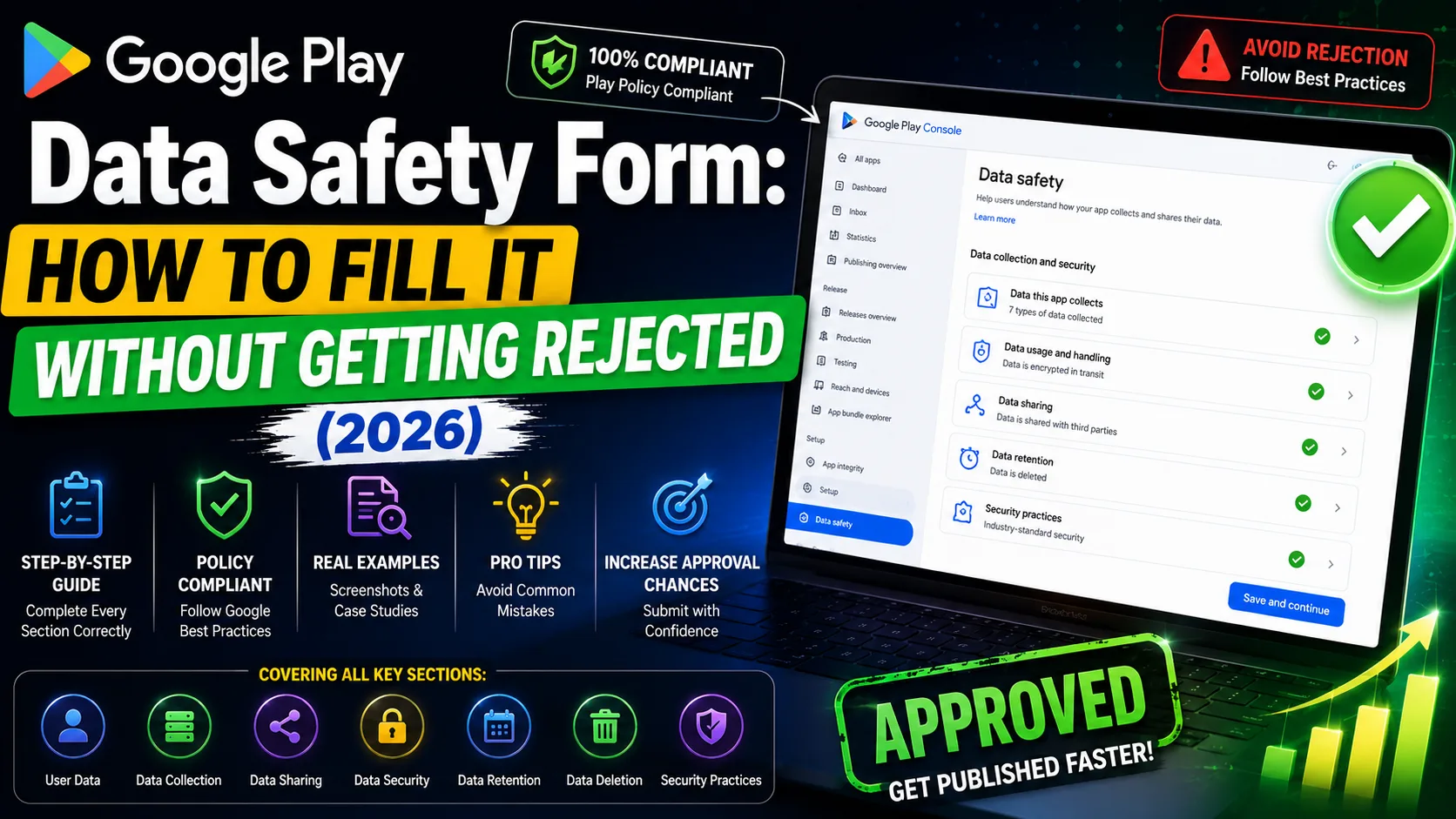
The Google Play Data Safety form is the single most common cause of submission rejection in 2026 — and the one indie developers most consistently underestimate. It looks like a simple questionnaire: 14 data categories, four sections, a privacy policy URL. But the categories overlap, the questions are vague, third-party SDKs count toward your declarations even if you didn't write the code, and Google's automated checks cross-reference your form against your binary, your permissions, your privacy policy, and the SDKs Google detects in your bundle. Mismatches trigger rejection or — worse — post-launch enforcement actions that can remove your app from the store. This is the operator-level guide to the Google Play Data Safety form in 2026: every section explained, every common rejection cause, the SDK declarations indie developers forget, and the exact workflow to fill it correctly the first time.
What the Data Safety form actually is
The Data Safety form is a mandatory declaration in Google Play Console that discloses, for fourteen data categories, what your app collects, why, how it's secured, whether it's shared with third parties, and whether users can delete it. Google introduced it in July 2022 and tightened enforcement through 2024–2026. As of 2026, it has four properties indie developers need to know:
- Mandatory for every app. Apps that collect no data must still complete the form (declaring that fact). There's no opt-out.
- Blocks submission. Incomplete forms prevent you from publishing to production. Internal Testing is exempt, but every other track (Closed, Open, Production) requires a completed form.
- Cross-checked against your binary. Google's automated tools analyze your APK/AAB and the SDKs in it. If their tools detect data collection your form doesn't declare, you get rejected — sometimes immediately, sometimes weeks after publication when enforcement scans run.
- Cross-checked against your privacy policy. Google reviewers verify your privacy policy mentions the data types your Data Safety form declares. Mismatches trigger "Invalid Data Safety Form" rejections.
The combination — automated detection plus manual review plus privacy policy cross-checks — makes this form harder to fudge than developers expect. Honest, complete answers are the only viable strategy.
The 14 data categories Google asks about
Every Data Safety form covers the same 14 categories. Each one has subcategories that further specify what's collected. The 14 categories:
- Location: Approximate location, precise location.
- Personal info: Name, email address, user IDs, phone number, address, race/ethnicity, sexual orientation, political views, religious beliefs.
- Financial info: Payment info, purchase history, credit/credit info, other financial info.
- Health and fitness: Health information, fitness information.
- Messages: Emails, SMS/MMS, other in-app messages.
- Photos and videos: Photos, videos.
- Audio files: Voice or sound recordings, music files, other audio.
- Files and docs: Files and documents.
- Calendar: Calendar events.
- Contacts: User's contacts list.
- App activity: App interactions, in-app search history, installed apps, other user-generated content, other actions.
- Web browsing: Web browsing history.
- App info and performance: Crash logs, diagnostics, other app performance data.
- Device or other IDs: Device or other identifiers (Advertising ID, IMEI, IMSI, etc.).
For each data type your app actually collects, Google asks four follow-up questions:
- Is this data collected, shared, or both? "Collected" means it stays in your servers. "Shared" means it goes to a third party (analytics, ads, backend services).
- Is this data processed ephemerally? Temporary processing (in memory only, not stored) gets different treatment.
- Is the data collection required, or optional? Can users opt out without breaking core functionality?
- Why is this data collected? Pick from: App functionality, Analytics, Developer communications, Advertising or marketing, Fraud prevention, security, and compliance, Personalization, Account management.
Multiply 14 categories by 4+ questions each, and you're looking at 50–60 detailed answers for a typical app. Plan for 30–60 minutes of focused work, with your privacy policy and SDK list open in another tab.
The single most common rejection: forgotten SDKs
Google is explicit on this point: third-party SDKs count toward your data declarations even if you didn't write the data collection code yourself. If a third-party SDK or library in your app collects or shares user data, your Data Safety form must reflect that collection.
The SDKs most commonly forgotten by indie developers:
- Firebase Analytics: Collects Device or other IDs, App activity, App info and performance. Must be declared.
- Firebase Crashlytics: Collects Crash logs (App info and performance), Device or other IDs. Must be declared.
- Firebase Cloud Messaging: Collects Device or other IDs. Must be declared.
- Google AdMob: Collects Device or other IDs (Advertising ID), App activity, sometimes Location. Must be declared.
- Unity Ads: Same categories as AdMob — Device IDs, App activity, sometimes Location.
- Facebook SDK / Meta Audience Network: Collects Device IDs, App activity, sometimes Personal info (Facebook ID).
- Singular, AppsFlyer, Adjust (attribution SDKs): Device IDs, App activity, install referrer data.
- Sentry, Bugsnag (error monitoring): App performance, sometimes user IDs if you tag errors with them.
- Mixpanel, Amplitude, Segment (product analytics): User IDs, App activity, custom events you log.
- Google Play Billing / RevenueCat / Adapty: Financial info (Purchase history), Device IDs.
- Stripe, PayPal SDKs: Financial info (Payment info, Purchase history).
- OneSignal, Pusher (push notifications): Device IDs, App activity.
- HealthKit / Google Fit integrations: Health and fitness data.
The workflow that catches most indie developers' SDK gaps: open your build.gradle file, list every dependency, look up each SDK's privacy documentation, and declare what they collect. Most SDK providers publish a "Google Play Data Safety mapping" page (Firebase has one, AppsFlyer has one, RevenueCat has one). Use them.
How the form is structured (4 sections)
Play Console walks you through the Data Safety form in four sections. Here's what each one actually asks:
Section 1: Data collection and security
- "Does your app collect or share any of the required user data types?" Yes or no. If yes, you proceed to Section 2 with full disclosures. If no, you skip to Section 3 with a simpler declaration.
- "Is all of the user data collected by your app encrypted in transit?" Almost always yes for modern apps using HTTPS. Verify your app uses HTTPS for all network calls.
- "Do you provide a way for users to request that their data be deleted?" Yes if you have an account deletion mechanism (in-app or web), no otherwise. Google increasingly expects "yes" — they've made it a requirement for many app categories.
Section 2: Data types (only if you collect data)
- For each of the 14 categories, check whether you collect, share, both, or neither.
- For each checked category, drill into the subcategory questions.
- Answer the 4 follow-up questions (collected/shared, ephemeral, required, purpose).
Section 3: Data usage and handling
- Cross-checks your answers from Section 2 against the security and deletion answers from Section 1.
- Flags inconsistencies for review before submission.
Section 4: Review and submit
- Final review of all declarations.
- Confirmation that the declarations match your privacy policy and app behavior.
- Submission triggers Google's automated and manual review (typically 1–2 weeks for first-time forms, faster for updates).
The "no data collected" trap
Many indie developers' first instinct is "my app doesn't collect data, I'll just say no." This is almost always wrong. If your app:
- Shows any ads (AdMob, Unity Ads, Facebook): you collect Device IDs and App activity.
- Uses Firebase Analytics or any product analytics: you collect Device IDs and App activity.
- Reports crashes via Crashlytics or Sentry: you collect App performance data.
- Sends push notifications: you collect Device IDs.
- Uses RevenueCat, Adapty, or any subscription SDK: you collect Financial info.
- Lets users sign in: you collect Personal info (at minimum user IDs).
...then you collect data. Declaring "no" when any of these are true is the most common cause of "Invalid Data Safety Form" rejections. Google's automated SDK detection catches the mismatch, even if you genuinely forgot.
Truly "no data collected" apps are rare in 2026. They tend to be utility apps with no analytics, no ads, no crash reporting, no backend, no login. If you're not sure, assume you collect data and audit your SDKs.
The deletion mechanism Google now expects
One requirement that caught indie developers off-guard in 2024–2025: Google expects a working data deletion mechanism for any app that has user accounts. The deletion request mechanism can be:
- In-app deletion: Settings → Account → Delete Account. Tapping it deletes the user's data within a reasonable window (typically 30 days).
- Web-based deletion page: A URL where users can request deletion without signing in. Must work without requiring the app, must be referenced in your privacy policy, and must be the same URL you enter in Play Console's Data Safety form.
- Email-based: Acceptable for very simple apps; users email support@yourapp.com and you process manually. Less robust; Google increasingly prefers automated mechanisms.
The URL you enter in the Data Safety form must match the deletion URL referenced in your privacy policy. If you generate your privacy policy with a tool, make sure it includes a deletion mechanism section that matches your form.
Cross-checking against your privacy policy
One of the most consistent rejection causes: your Data Safety form says one thing, your privacy policy says another. Google's reviewers actively check for this mismatch.
Common mismatches:
- Form declares Location collection, privacy policy doesn't mention location.
- Privacy policy mentions Google Analytics, form doesn't declare App activity collection.
- Form says "data is encrypted in transit," privacy policy says nothing about encryption.
- Privacy policy promises user data deletion within 30 days, form says "no deletion mechanism."
- Privacy policy mentions third-party SDKs (Firebase, AdMob), form doesn't declare data shared with them.
The fix: write your privacy policy alongside the Data Safety form, not before it. Or use a tool that generates both consistently. Our privacy policy generator creates a Play Store–compliant privacy policy that matches the same data taxonomy as the Data Safety form, free in seconds.
Common mistakes that get apps rejected
The patterns that consistently cause "Invalid Data Safety Form" rejections in 2026:
- Forgetting third-party SDKs. Firebase, AdMob, Crashlytics, attribution SDKs all collect data. Declare them.
- Declaring "no data collected" when analytics SDKs are present. If Firebase Analytics is in your app, you collect Device IDs and App activity. Period.
- Mismatching the privacy policy URL. The URL in Play Console must work, must be HTTPS, must accurately reflect your app's data practices.
- Skipping the deletion mechanism question. Apps with user accounts must offer deletion. Web-based or in-app — pick one and implement it.
- Inconsistent "shared with third parties" declarations. If you send any data to a third-party service (analytics, ads, attribution), that's sharing. Declare it.
- Wrong "data collection required" answer. If the user can use core features without the data, mark it optional. If they can't, mark it required.
- Generic privacy policy templates. Templates that don't match your actual data practices fail privacy policy cross-checks. Use a policy that mentions your specific SDKs.
- Not updating the form when SDKs change. Adding Firebase Analytics in a later update requires updating the Data Safety form. Forgetting to do this triggers post-launch rejection.
- Marking sensitive data as "ephemeral" when it isn't. Ephemeral means in-memory only, never stored. Most analytics SDKs store data, so they're not ephemeral.
- Wrong AndroidManifest permissions vs declarations. If your manifest requests
READ_MEDIA_IMAGES, your form should declare Photo collection. Mismatch triggers rejection.
What to do if your form gets rejected
The rejection email cites "Invalid Data Safety Form" and usually mentions the specific category or SDK that triggered the flag. The recovery flow:
- Read the rejection carefully. Google usually identifies the specific data category causing the issue.
- Audit your SDKs. Open
build.gradle, list every dependency, check each one's data collection documentation. - Cross-check against your privacy policy. The two must match. Update whichever is incomplete.
- Update the form. Go to Play Console → App Content → Data Safety → Manage → fix the declarations.
- Resubmit. Updated Data Safety forms typically re-review faster than the initial submission — 3–7 days vs 1–2 weeks.
- For repeated rejections: Some developers' tactic is to declare "Yes" for all data collection options on a rejected submission, see which one triggers the flag, then refine. Risky (it temporarily over-declares), but identifies the issue fast.
How to fill it the first time without rejection
The workflow that consistently produces accepted Data Safety forms on the first submission:
- Step 1: List every SDK in your app. Open
build.gradle. Write down every dependency. - Step 2: For each SDK, find its Data Safety mapping. Most major SDK providers publish a page mapping their data collection to Play Store categories. Use these.
- Step 3: List every permission in your AndroidManifest. Each permission must correspond to declared data collection.
READ_MEDIA_IMAGES→ Photos.ACCESS_FINE_LOCATION→ Precise location. - Step 4: Write or generate your privacy policy. The privacy policy must mention each data type, each SDK, and your deletion mechanism. Our privacy policy generator handles the Play Store taxonomy free.
- Step 5: Implement a deletion mechanism if you have user accounts. Either in-app or web-based. URL must work, must be referenced in your policy.
- Step 6: Fill the form with your privacy policy open. Cross-check each declaration against the policy.
- Step 7: Review and submit. Double-check that everything matches.
- Step 8: Update the form when SDKs change. Every release that adds or removes SDKs should trigger a form review.
Done this way, the form takes 30–60 minutes the first time and 5–10 minutes for subsequent updates. Done backward — guessing first, then matching the privacy policy — it can take days.
How long Data Safety review takes
Real timelines from 2026 submissions:
- First-time submission: 1–2 weeks for the Data Safety form review.
- Updates to existing form: 3–7 days, faster for trivial changes.
- Rejected and resubmitted: 3–7 days for the re-review.
- Post-publication audit: Apps can be flagged weeks after publication when Google's enforcement scans detect data collection not declared in the form. Removal threats arrive with 30-day cure windows.
Plan the Data Safety form as a 2-week buffer in your launch timeline. Submitting in the final week before your launch date is a real schedule risk.
Frequently asked questions
Do I need a Data Safety form if my app collects no data?
Yes. Even apps that collect no data must complete the form, declaring that fact and providing a privacy policy URL that confirms it.
Does Internal Testing require the Data Safety form?
No. Apps active only on Internal Testing tracks are exempt. Closed, Open, and Production testing all require it.
How do I know what data my SDKs collect?
Most SDK providers publish documentation. Firebase, AdMob, AppsFlyer, RevenueCat, Sentry — all have "Google Play Data Safety mapping" pages. If a smaller SDK doesn't publish one, check the SDK's general privacy documentation.
What happens if I miss declaring a data type?
Initial submission: rejection with "Invalid Data Safety Form" notice. Post-publication: Google's enforcement scans may flag your app for removal with a 30-day cure window. Update the form promptly when the issue is identified.
Do I need a separate deletion URL or can it be in-app?
Either works. In-app deletion is simpler if your app has a clear settings screen. Web-based deletion is required if users can't access the app (lost device, deleted app). For maximum compliance, offer both.
What's "ephemeral" data?
Data that's processed in memory only and never stored anywhere. Most data isn't ephemeral — analytics events, crash logs, anything sent to a server is not ephemeral. Only mark "yes" if the data genuinely lives only in transit.
Can I declare data as "encrypted in transit" if I use HTTPS?
Yes, if every network call uses HTTPS. Verify by checking that your app's network security config doesn't allow cleartext traffic. Modern Android apps default to HTTPS-only.
Do I have to declare data shared with Google's own services (Firebase, AdMob)?
Yes. Google treats its own services as third parties for Data Safety purposes. Firebase Analytics counts as sharing data with Google.
What if my app uses an SDK only for some users?
You still declare it. The form covers what your app can do, not just what every user experiences. If any user might have data collected, declare it.
Can I update the Data Safety form without releasing a new app version?
Yes. The form is independent of app version submissions. Update it when SDK behavior changes, even without a new release.
The bottom line
The Google Play Data Safety form is unforgiving and getting more strict every year. Its single most preventable cause of rejection is forgotten third-party SDKs — Firebase Analytics, AdMob, Crashlytics, and attribution SDKs all collect data even when you forget they're there. The second most preventable cause is mismatched privacy policy URLs. Approach the form as a 30–60 minute audit of your build.gradle dependencies and your AndroidManifest permissions, declare honestly across all 14 categories, match every declaration against your privacy policy, and implement a working deletion mechanism for any app with user accounts. Done well, the form is a one-time setup that scales with your SDK choices. Done carelessly, it's a 2-week launch delay every time you submit.
The Data Safety form is one piece of a larger Play Store submission process. Our Google Play Console setup guide covers the full submission flow from $25 enrollment to first release. The privacy policy generator creates a Play Store–compliant privacy policy that matches the same data taxonomy as the Data Safety form, free in seconds. For the App Store equivalent of this disclosure work, the App Store Connect setup guide covers Apple's App Privacy nutrition labels.
Related posts

Make your App Store screenshots free
LaunchShots is a free, in-browser screenshot maker. No signup, no watermark.
Open the app →
Comments (0)