How to Make a Google Play Feature Graphic (Free, 1024×500)
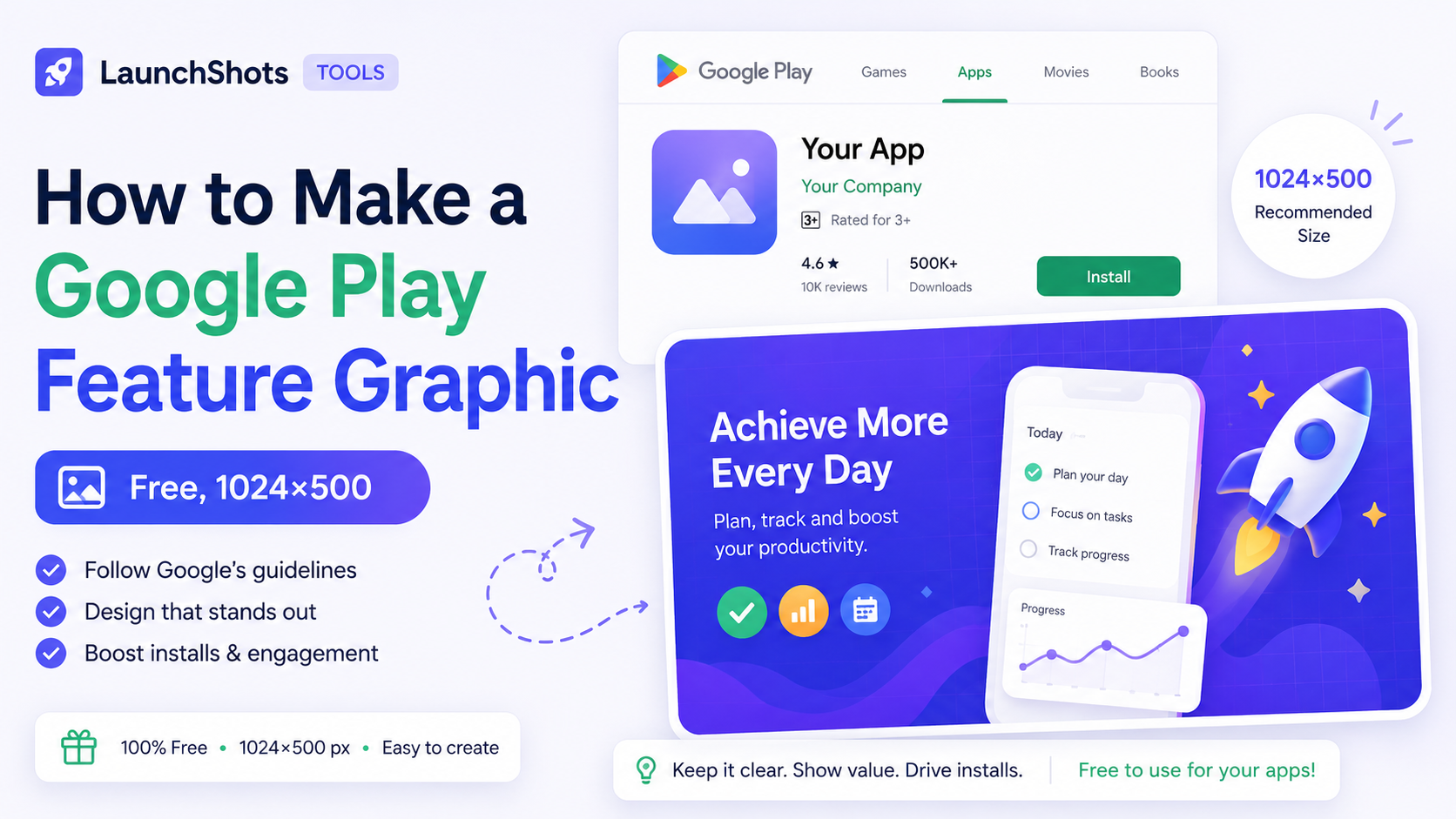
If you're publishing on Google Play, there's one asset that catches people off guard: the feature graphic. It's a 1024×500 banner that sits at the very top of your store listing and shows up in promotional spots across the Play Store — and unlike screenshots, Google requires it before you can feature your app anywhere.
This guide covers exactly what the feature graphic needs to be, what makes a good one, and how to make yours for free in about five minutes — no design software.
The exact specs
Google Play's feature graphic has firm requirements. Get these wrong and the upload is rejected:
- Dimensions: 1024 × 500 pixels. Exactly. Not "around" — Play wants this precise size.
- Format: JPG or 24-bit PNG. No alpha transparency.
- File size: up to 1 MB. Plenty for a clean graphic; only an issue if you cram in a huge photo.
- No transparency, and no important content near the edges — Play sometimes overlays a play button or crops slightly depending on where it's shown.
What makes a feature graphic work
The feature graphic is often seen small and quickly, so the same rules as screenshots apply — only more so:
- One clear headline. A short benefit line, not your whole pitch. "Scan any food. Eat smarter." reads instantly; a paragraph doesn't.
- High contrast. Bold text on a simple background. Busy gradients with thin text vanish at small sizes.
- Show, don't just tell. A phone mockup with a real screen gives people a glimpse of the app itself — far more convincing than text alone.
- Don't just blow up your icon. The icon already appears elsewhere. Use this space for something new.
- Avoid fake UI. Graphics that look like ads with fake "install" buttons can get rejected as misleading.
What to put on it
A reliable formula: a benefit headline on one side, your app screenshot in a phone frame on the other, over a brand-colored background. Optionally a small logo in a corner. That's it — clean, readable, and it tells someone what your app does at a glance.
Resist the urge to list features. The feature graphic's job is to make someone curious enough to scroll down to your screenshots, where the detail lives.
Make yours for free
You don't need Photoshop or Figma for this. Our free Feature Graphic Maker builds a pixel-perfect 1024×500 graphic right in your browser. You add a headline and subtitle, pick a background gradient or solid color, drop your app screenshot into a phone frame, and optionally add a logo. The preview updates live, and the export comes out at exactly the dimensions Google wants — ready to upload straight to the Play Console.
It also exports a few extra sizes — a 1200×630 social/Open Graph image for link previews, a Twitter header, and a wide banner — so the same design can do double duty for your launch posts.
The short version
1024×500, JPG or PNG, under 1 MB. One bold headline, high contrast, a real screen in a phone frame, nothing important near the edges. Skip the fake buttons.
When you're ready to build it, open the feature graphic maker — it's free, no signup, and everything stays in your browser.
Related posts
Make your App Store screenshots free
LaunchShots is a free, in-browser screenshot maker. No signup, no watermark.
Open the app →
Comments (0)