What's New: Landscape Exports, Multi-Phone Scenes, a Gallery & More
It's been a busy week at LaunchShots. I shipped a batch of updates focused on one thing: giving you more creative control over your App Store and Play Store screenshots — without adding any friction. Here's everything that's new.
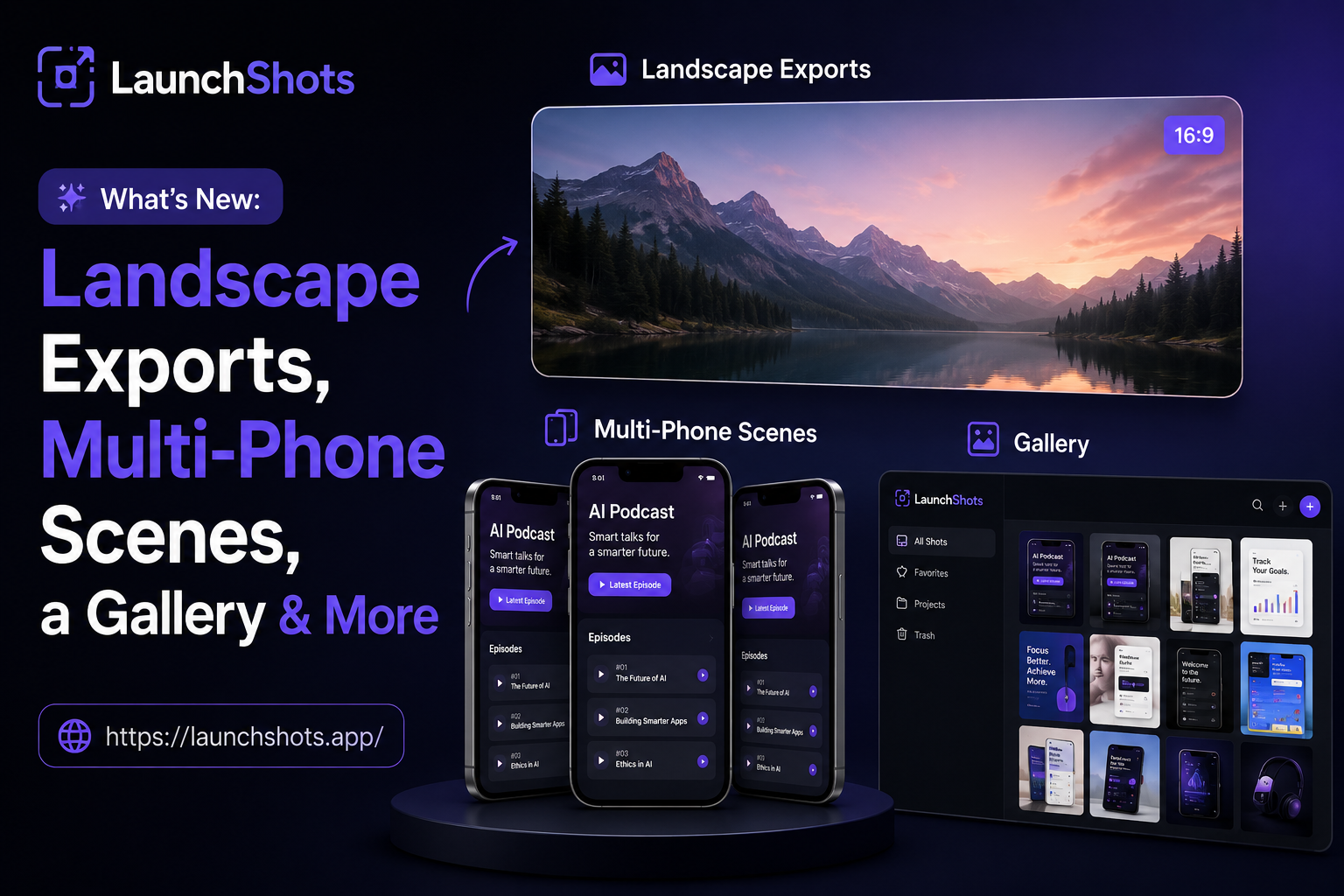
Landscape & social export sizes
The editor was built for tall store screenshots, but a lot of you needed wider formats too — feature graphics, social cards, banners. So the export size picker now has a whole new Social / Banner group:
- Play Feature — 1024 × 500, the exact size Google Play asks for.
- Social / OG — 1200 × 630, for link previews on X, LinkedIn, and the rest.
- Twitter Header — 1500 × 500.
- Wide Banner — 1600 × 400.
Pick any of them and the canvas instantly switches to that shape. Your phones automatically scale to fit the shorter height instead of overflowing, so a wide banner looks right out of the box.
Multi-phone "scene" mode
You can now place up to three phones in a single shot — a main device in the center flanked by two angled phones on either side. It's the hero layout you've seen on the best app listings, and now it's built right into the editor.
There's a new scene panel on the right where you toggle it on, drop in the left and right screenshots, and fine-tune the look with sliders for side size, lean angle, spread, and vertical drop. The side phones use a clean, flat tilt so they stay crisp — and they export exactly as you see them.
Canvas zoom
Working on fine details? There's now a zoom control in the bottom-left of the canvas, just like a real design tool. Zoom in and out with the buttons, hit "fit" to reset, or hold Ctrl/Cmd and scroll. It's purely visual — your exported image always comes out at full, true resolution no matter how far you've zoomed in.
An inspiration gallery with 20 ready-made designs
Staring at a blank canvas is the hardest part. So I added an Inspiration gallery packed with 20 hand-built designs spanning every category — games, finance, health, social, productivity, AI, travel, and more. Tap any one to load it as a starting point, then make it yours. A couple of them even use the new three-phone scene layout so you can see it in action instantly.
Crisper 3D tilt
The phone tilt got a quiet but meaningful upgrade. It now uses a flat, in-plane lean instead of a perspective rotation — which means no more squished or blurry angles. Phones look sharp at any tilt, and what you see on screen is exactly what lands in your export.
A better feedback board
The feedback board got a real glow-up too:
- Every suggestion now has its own shareable page, so you can link someone straight to an idea and ask for a vote.
- You can attach a screenshot to a suggestion to show exactly what you mean (images are reviewed before they go live).
- Posts now show when they were written and when I replied, and the newest ideas sit at the top.
- My replies are clearly marked, so you always know when a request has an official answer.
Try it out
Everything above is live right now and, as always, completely free. Open the editor, try the new gallery and scene mode, and if something's missing — tell me on the feedback board. I read every single suggestion, and a good chunk of this update came straight from yours.
Related posts
Make your App Store screenshots free
LaunchShots is a free, in-browser screenshot maker. No signup, no watermark.
Open the app →
Comments (0)